Residential

OverviewRooftop PV at volumeRoof & dronePlanes measured on the roofAttic & structureRafters recordedElectricalPanel and interconnectionDesign & engineeringModel to stamped set

Commercial & Industrial

OverviewBig roofs, real structureOn-site surveyRoof, structure, switchgearDesign & engineeringPE stampedVisual inspectionModule resolutionThermal inspectionFaults as heatElectroluminescenceCell-level cracks

Utility-Scale

OverviewThousands of acresLiDAR topographyTerrain before earthworkLand surveyingBoundary and topographicConstruction monitoringProgress, measuredThermal & ELEvery string

Across every scale

Site surveysRoof and electrical, one visitPermitting & engineeringStamped plan setsInspectionAerial thermal and ELShading analysisSA, TOF and TSRFSurvey locationsState and metro guides

The platform

Platform overviewPortal, 3D models, live dataFeature guidesWho it serves and how it worksShading analysisMove the sun yourselfCost calculatorWhat bad field data costs you

Sign in

Vanguard AccessInvite only · survey data portalScheduling & DispatchCrewLink · all verticals

Solar reference

Solar questions answeredResidential, commercial and utility-scaleSurvey methodologySources, measurements and limitsCompany factsOfficial services and capabilities

Field Notes · build vs. buy

What a survey really costsPart 01 · the full modelUtilization is the whole gamePart 02 · a real TuesdayThe break-even headcountWhen hiring pays offTwo technicians, two roofsVariance, measuredThe hybrid crewIn-house plus outsourced

Field Notes · reference

Site survey checklistBuilt backwards from reworkHow long a survey takesHour by hourDo panels need a permit?What goes in the packageStorage site surveysThe capture listCompare survey vendorsQuestions to ask any vendor

Company

All servicesAll Field NotesAboutBook a 15-min call

Home / Features / Roof Sun and Shadow Simulator

Available in the web platform

Roof Sun and Shadow Simulator

A single image cannot show how a modeled shadow changes throughout the day.

Workflow illustration
  1. 01Choose the time
  2. 02Play the day
  3. 03Review the inputs

Client & survey

Who it was designed for

Designers and survey reviewers exploring modeled shadows.

Available to authorized users of the job’s own company. Client report and model access follows delivery status; signing in does not expose another company’s projects.

What it does

Choose a date, time and site time zone, then play through the day to see the modeled shadows move across the roof.

How it fits your workflow

STEP 1

Choose the time

Select the date, time and site time zone.

STEP 2

Play the day

Watch visual shadows move across available geometry.

STEP 3

Review the inputs

Confirm obstruction coverage and use the measured shade report for calculations.

Illustrated workflow. These cards explain the process; they are not screenshots of a customer project.
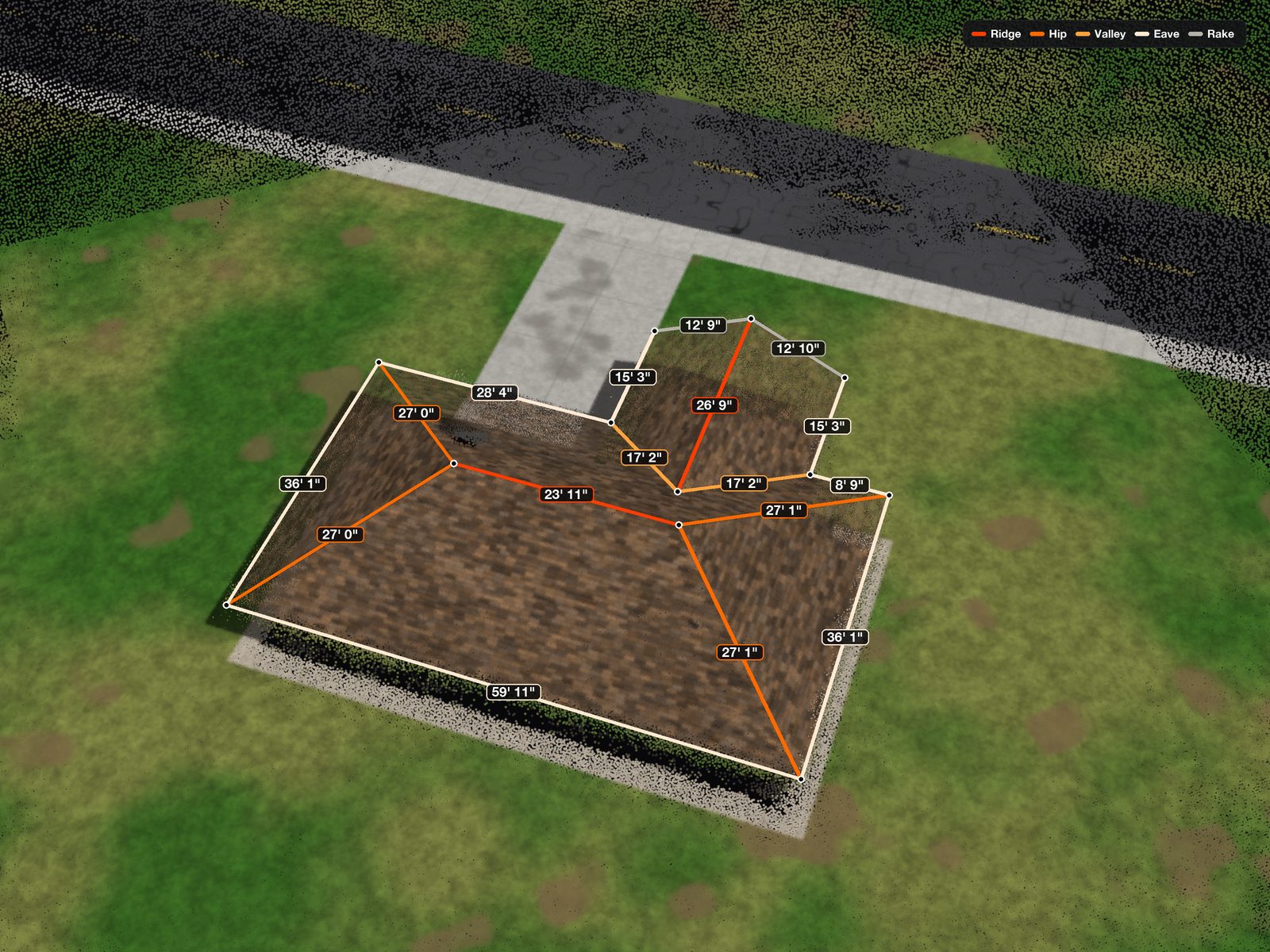
See the survey detail

Example survey model from the existing Solar Survey AI website; availability and measured detail vary by survey.

The practical value

Date, time and time-zone controls make the visual behavior easier to inspect and explain. They help a reviewer ask better questions about obstruction coverage before using measured shade calculations.

A concrete use case

A reviewer plays a day in the model, compares morning and afternoon shadows and checks whether surrounding trees are actually represented.

Requirements and limits

Visual playback depends on available model geometry. Missing trees and buildings cannot cast shadows.

The simulator is a visual approximation, not a replacement for measured shade or production reports.

Explore related workflows

See how roof sun and shadow simulator fits your team

Bring your current workflow and the handoff that needs attention. We can discuss the available feature, appropriate access and relevant survey services.

Book a 15-min call
Book a 15-min call